One calm place
Talvext watches your systems, takes the requests when something breaks, and answers staff questions from your own documentation. Built for small offices where IT is one person.
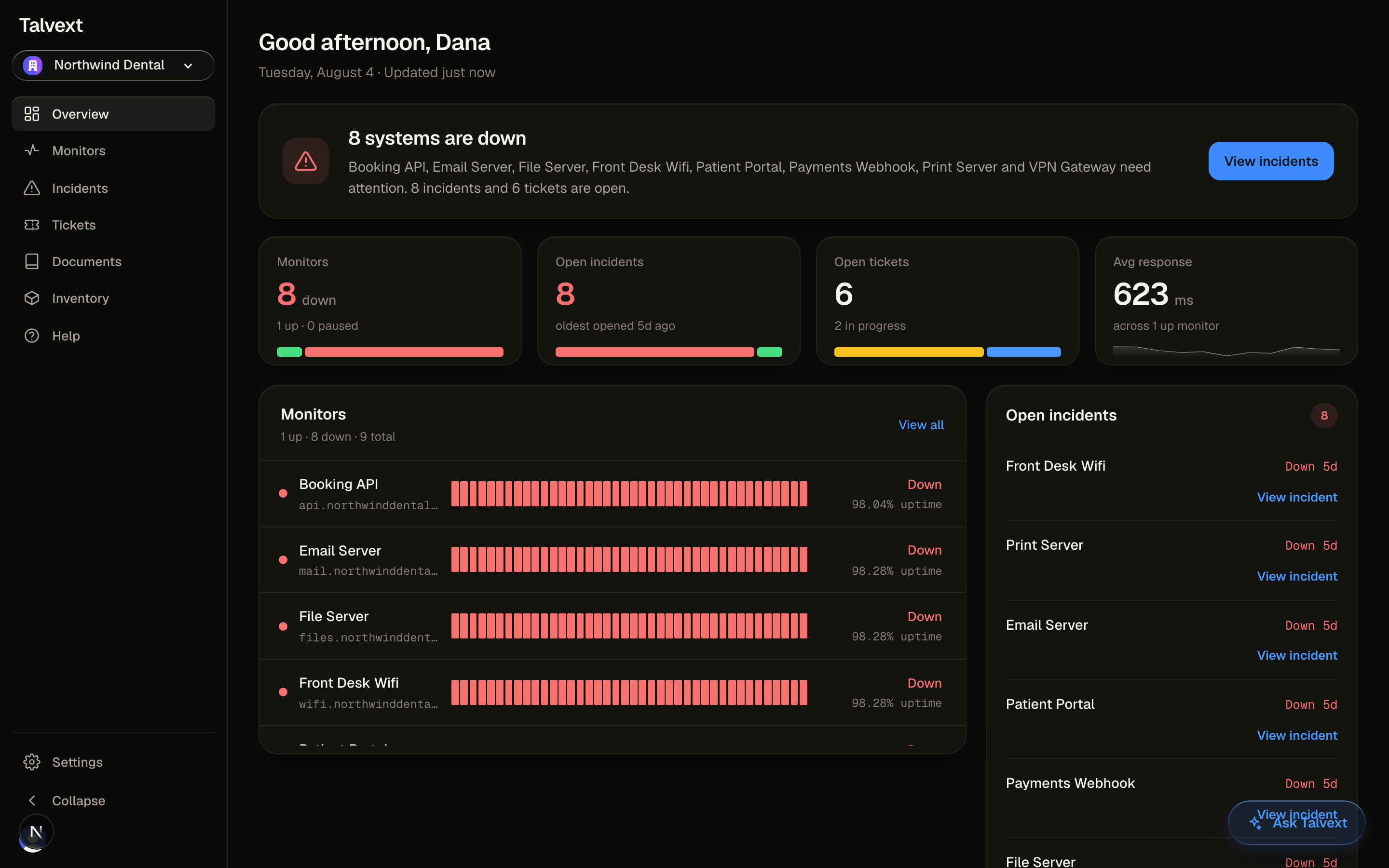
The overview, as it ships. Is anything down, is anything on fire, what needs me today.
And when your staff ask, it answers in your words
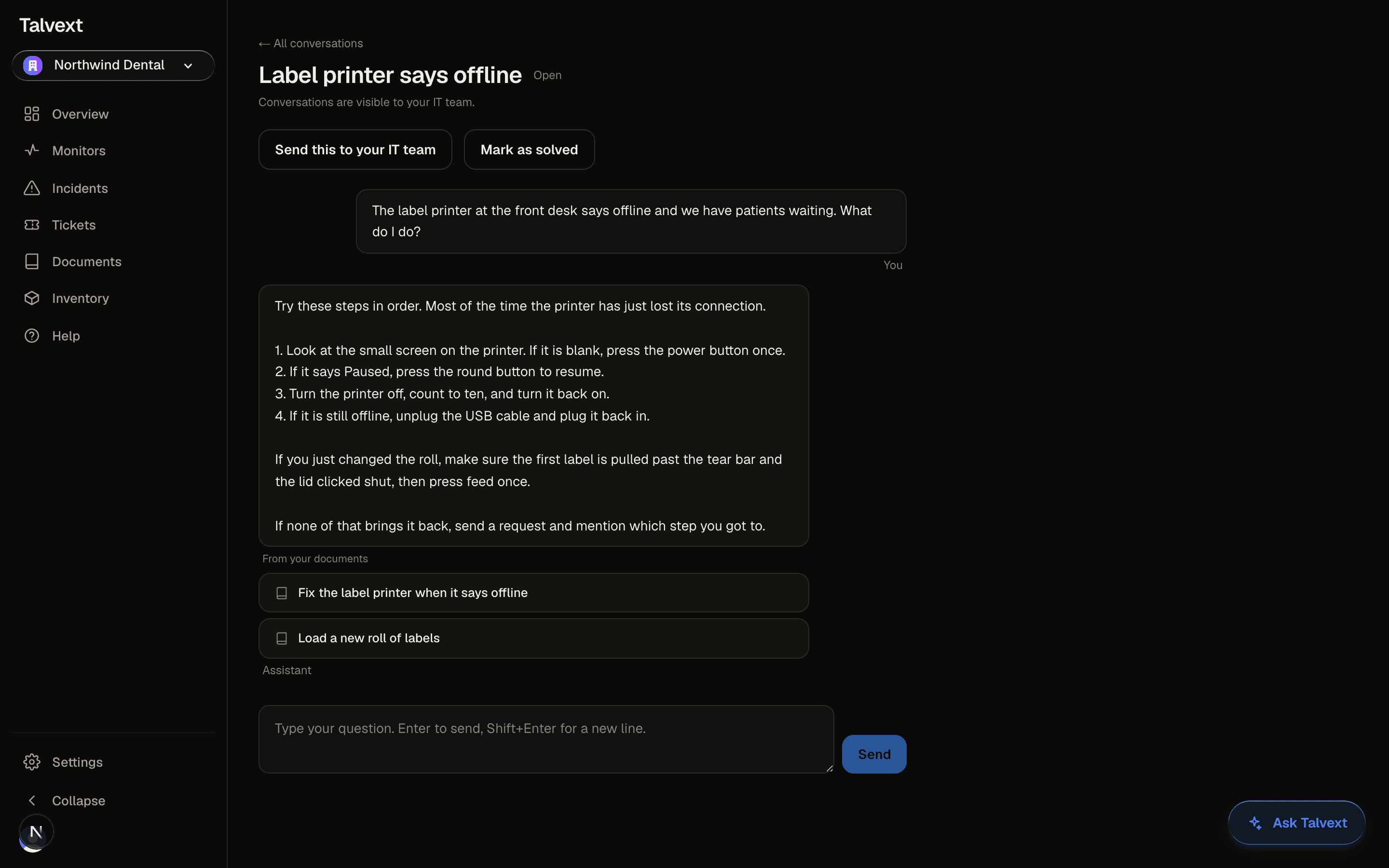
The AI chat answers from the documents your organization keeps in Talvext, and it shows which document the answer came from. No internet guesses about your specific printer.
Each person only gets answers from documents they are allowed to see. The front desk and the office manager can ask the same question and each gets what is theirs to know.
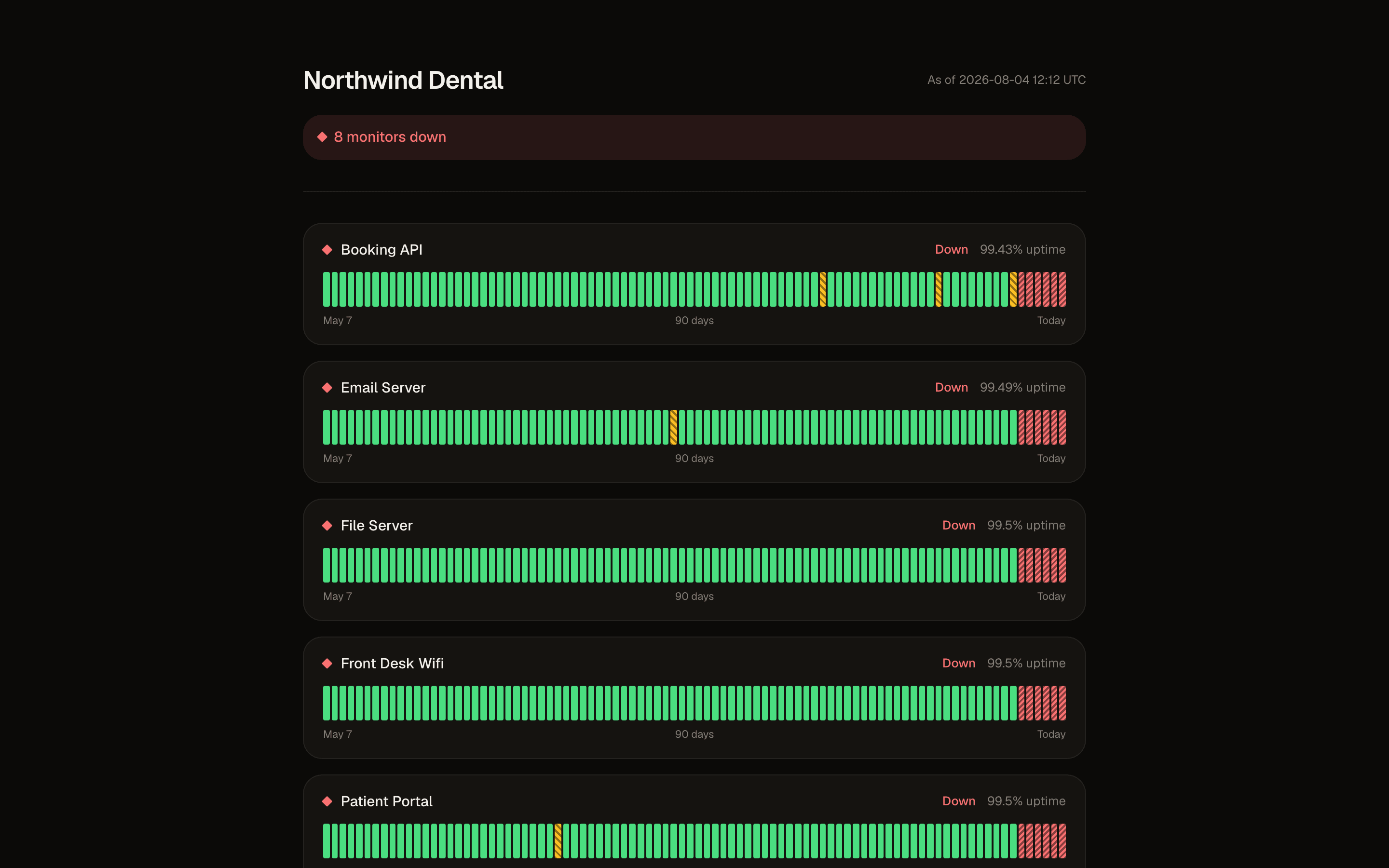
A public status page. During an outage, people check a link instead of emailing you.
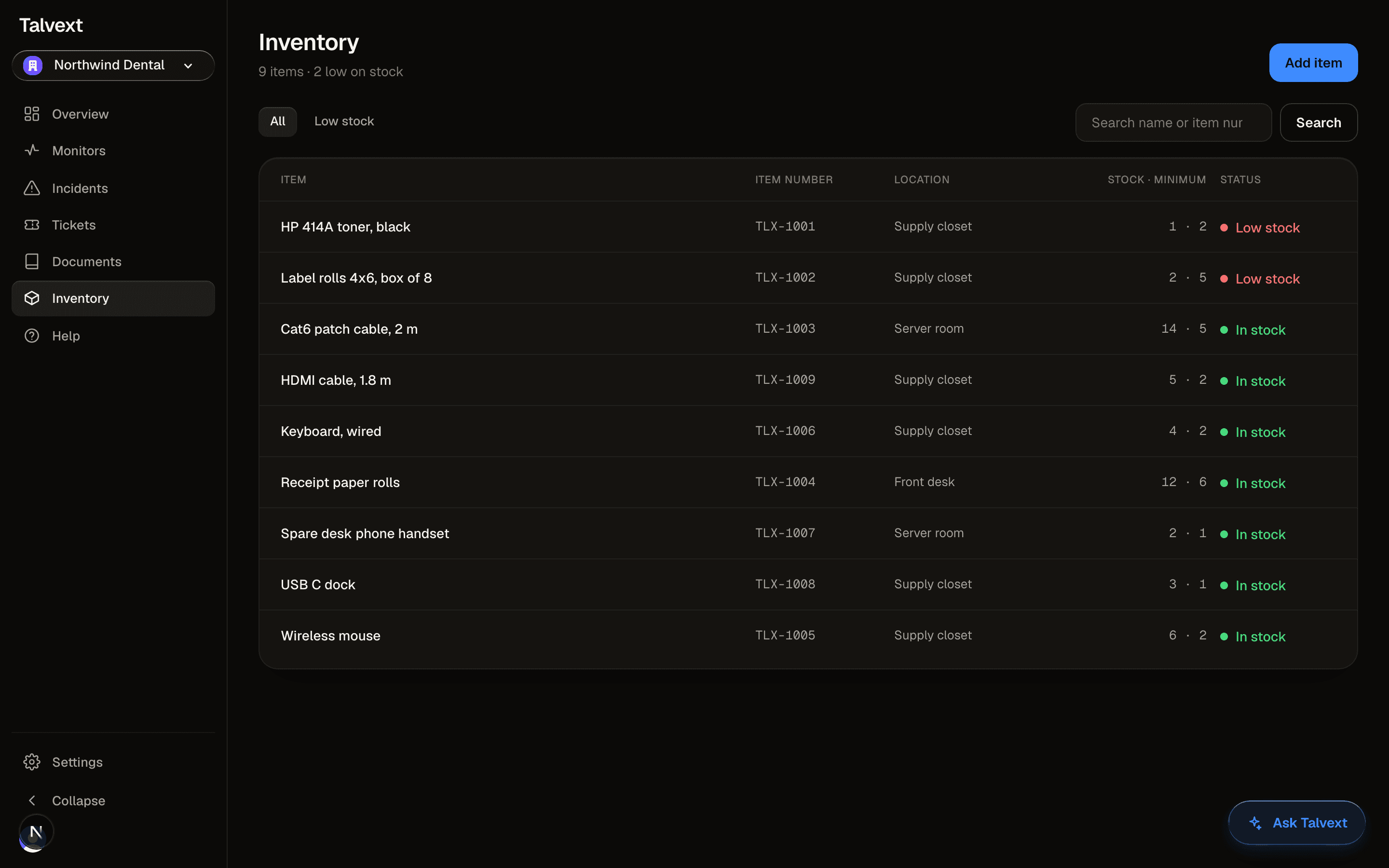
The supply closet, tracked. Whatever is low on stock rises to the top before it runs out.
The printer is down. Three people have emailed you about it, one of them walked over to your desk, and the outage is in one tool while the emails are in another. By the time you have pieced it together, someone asks you for a status update.
Talvext keeps them together. The outage and the requests it caused sit in one system, the status page answers the walk ups, and the incident becomes a linked ticket without retyping what broke. You stop being the integration between two tools.
What Talvext is
Talvext is where your office goes when something breaks, and where it checks before asking. It watches the systems you depend on, opens an incident when one goes down, keeps your documentation where staff can actually find it, and gives everyone one screen to ask for help without needing to know what a server is.
The rule for every screen is the same: someone who does not work in IT should be able to get help in one screen, with one obvious action and no jargon.
If a screen fails that, it gets rebuilt.
Everything here is live today
No roadmap items, no coming soon. Each line below describes a screen you can open the day you sign up.
Checks as often as every five minutes. A failure is confirmed before it opens an incident, then it reaches you by email and Discord, and again when it recovers.
Every request in one queue. Staff describe the problem in plain words; admins see everything, each person sees their own.
The AI chat answers from the documents your organization keeps in Talvext and cites the one it used. Each person only gets answers from documents they are allowed to see.
One link that shows what is down, what recovered and ninety days of uptime, without exposing anything else about your organization.
Sensitive actions land in a record that only grows. Nothing edits it and nothing deletes it, not even an admin.
Chat messages, tokens, checks and seats on one screen. Shown for information; nothing is limited or billed.
Toner, cables and spares tracked with a minimum. Anything low on stock rises to the top of the list before it becomes an emergency.
Built to be checked
Tenant isolation is enforced at the database with Postgres row level security, not in application code.
The isolation suite runs against a real Postgres in CI, and it is verified able to fail, so a green run means something.
Migrations replay from zero on every run, so the schema in CI is the schema you get.
The public status page reads the database as an anonymous role that is granted only the columns the page shows. Enabling a page never exposes monitor addresses, tickets or anything else.
The audit log is append only at the database. A trigger refuses edits and deletions for every role, including ours.
Bring your own AI provider key. Keys are stored encrypted, and there is no markup on tokens you already pay for.
None of this asks for trust. The codebase is public, so every line above can be read in the repository.
Small offices, not enterprise sprawl
Built for small and mid sized businesses where IT is one person, or one person's second job.
Medical offices
Booking software, the practice system and the front desk machines stay watched. Staff report problems in plain words, and the fix for the label printer lives in Documents where the front desk can find it.
Law offices
Case systems, mail and file servers in one view, a status page for the partners who ask, and your firm's data separated at the database from every other firm's.
Small IT & consultants
Run several client offices from one login, each isolated, with an audit log of who changed what. No stitching five tools together.
Free while in early access
There is no card to enter and no trial to expire. Paid plans come later.
Sign in with Google. Nothing separate to set up.
Add your first monitor in about a minute. Paste a URL, choose how often to check it.
Nothing to install. No server to run and no agent on your machines.